Unlocking an Android device without losing data has long been a challenge for users locked out of their phones. Whether it’s due to forgotten passwords, broken screens, or second-hand phones, the frustration of being unable to access a device is real. DroidKit, developed by iMobie, claims to offer a powerful solution to this problem. But can it really bypass Android lock screens without data loss, and how effective is it compared to other tools?
This article takes a deep dive into DroidKit’s unlocking feature, exploring how it works, its capabilities, limitations, and the overall user experience. If you’re stuck with a locked Android device, you’ll want to read every detail.
Android Lock Screen Challenges
Android devices offer various screen lock methods: PINs, patterns, passwords, fingerprints, and facial recognition. These features are meant to keep your phone secure. However, they can also become a problem when:
- You forgot your password or pattern
- A child plays with your phone and locks it
- Your device’s screen breaks, making input impossible
- You’ve purchased a used phone still locked to a previous owner
Traditionally, factory resetting the phone was the only way out—often resulting in complete data loss. This is where DroidKit comes into play with its promise of unlocking without compromising the device’s data.
DroidKit’s Unlocking Toolkit Explained
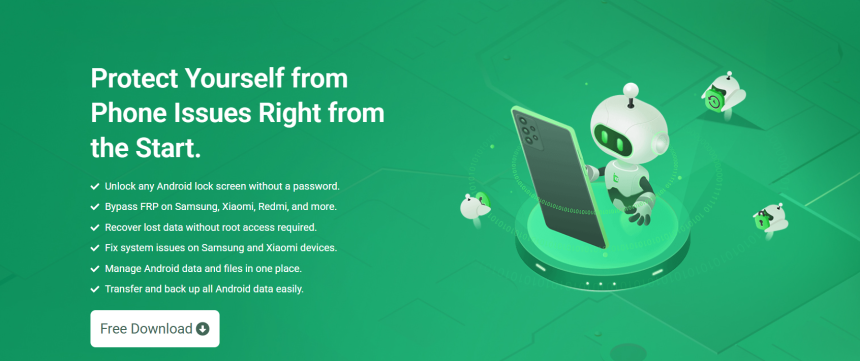
DroidKit is more than just a lock screen removal tool. It’s a full Android system solution designed to recover data, fix system issues, and remove various locks. The “Screen Unlocker” module focuses explicitly on bypassing:
- PIN locks
- Pattern locks
- Passwords
- Fingerprint and facial recognition
This makes it a compelling option for anyone facing lock screen issues. It aims to remove locks without needing root access, which is often required by other advanced tools.
Compatibility and Supported Devices
One of the biggest questions users have is whether DroidKit supports their specific phone model. According to iMobie, DroidKit supports over 20,000 Android devices, including:
- Samsung
- Huawei
- Xiaomi
- LG
- Motorola
- Google Pixel
- OnePlus
- Sony
- Oppo
However, the functionality can vary based on brand and Android version. Some features, such as lock screen removal without data loss, are currently limited to Samsung devices. Other brands may still require data erasure during unlocking.
Unlocking Process Step-by-Step
DroidKit’s unlocking interface is designed to be beginner-friendly. The process usually involves:
Installing DroidKit on your computer
Available for both Windows and macOS, the app requires a quick setup.
Connecting the locked device via USB
USB debugging isn’t necessary at this point, which is helpful for users without screen access.
Selecting “Unlock Screen” from the toolkit
You’ll be guided through the brand-specific steps. For Samsung users, the process may retrieve data post-unlock.
Following on-screen prompts
DroidKit downloads the appropriate configuration package based on your phone’s model.
Letting the software work its magic
Once the configuration completes, DroidKit begins removing the lock screen.
Depending on the device and method used, the process may take 5–15 minutes.
Success Rate and User Experience
Users report a high success rate, especially with Samsung phones, which DroidKit is optimized for. Here’s a snapshot of what most users find:
- Straightforward process: No advanced tech skills needed
- Fast results: Lock screens are typically removed in minutes
- Clean interface: Steps are clearly explained, reducing confusion
- No root required: Many Android tools need root access, which voids warranty or risks bricking the phone
However, results are not uniform across all devices. Some non-Samsung brands may lose data during unlocking. The tool is still valuable but comes with that caveat.
Bypassing Google Account Locks (FRP)
Many users confuse lock screen removal with FRP (Factory Reset Protection). FRP is a security feature that prevents unauthorized access to a reset device by requiring the original Google account credentials.
DroidKit also includes a “FRP Bypass” tool. While this is a separate module from screen unlocking, it’s worth noting for users dealing with second-hand phones that trigger FRP.
Important to know: FRP bypass isn’t legal in all jurisdictions, especially when dealing with phones not originally owned by the user. Always use it within the bounds of local law and ethical guidelines.
Data Loss Risks and Guarantees
DroidKit advertises no data loss for certain Samsung devices, which is a huge win. For other brands, DroidKit is transparent about the fact that data may be wiped.
Before proceeding, users are encouraged to:
- Read the tool’s prompts carefully
- Check whether their device is eligible for data-preserving unlock
- Attempt a backup if possible (though most locked devices don’t allow it)
For high-priority data, consulting a professional technician may be better if you’re using a non-Samsung brand.
Additional Features Worth Exploring
Beyond screen unlocking, DroidKit offers a range of features that turn it into a multi-purpose Android recovery solution:
- Data Recovery: Retrieve deleted photos, videos, messages, and more
- System Repair: Fix Android stuck in boot loops, black screens, or frozen interfaces
- Data Extractor: Pull information from broken or non-responsive devices
- System Reinstallation: Useful for reviving phones without requiring flashing knowledge
Each module adds more value to the purchase, especially for tech repair shops or people managing multiple devices.
Pricing and Plans
DroidKit isn’t free. The tool operates on a subscription-based license model, with different tiers:
- Monthly License: Best for one-time unlocking
- Annual License: Ideal for users who want long-term access
- Lifetime License: Good for technicians and power users
All plans include access to the full toolkit. iMobie often offers discounts, so watch for promotions. They also offer a 60-day money-back guarantee, which reduces the risk for new users.
Comparing with Other Unlock Tools
DroidKit is part of a competitive market. Here’s how it stacks up against some common alternatives:
| Feature | DroidKit | Dr.Fone Unlock | iToolab UnlockGo | Tenorshare 4uKey |
| No Root Needed | ✅ | ✅ | ✅ | ✅ |
| Supports Samsung | ✅ | ✅ | ✅ | ✅ |
| Other Android Brands | ✅ (Partial) | ✅ (Partial) | ✅ (Partial) | ✅ (Partial) |
| FRP Bypass | ✅ | ❌ | ✅ | ✅ |
| Data Loss-Free Unlock | ✅ (Samsung only) | ❌ | ❌ | ❌ |
| System Repair Tools | ✅ | ❌ | ❌ | ❌ |
For users with Samsung phones, DroidKit clearly leads the pack. For others, it still competes well, though the data loss limitation applies.
User Feedback and Community Reputation
Online reviews are largely positive. Users on forums like Reddit, TrustPilot, and Android-related Facebook groups praise DroidKit for:
- Reliability in emergency situations
- Clear documentation and support
- Value-packed features beyond just unlocking
Criticism primarily focuses on data loss with non-Samsung brands and the software’s size, as it can consume significant space on lower-end PCs.
Safety and Legitimacy
DroidKit is developed by iMobie, a reputable software company that has been in operation for over a decade. Their tools are digitally signed, regularly updated, and come with:
- Secure SSL installation
- No bundled malware or spyware
- Dedicated customer support
The tool is safe to use, but as always, downloading from the official website is the only recommended route.
Final Verdict
DroidKit delivers a powerful, user-friendly solution to a very real Android problem—getting past lock screens without losing personal data. While its full potential shines brightest with Samsung devices, it still offers broad support and value for other brands.